📈 Reports & Analytics

11 built-in reports with PDF export and analytics dashboards

Make data-driven decisions with 11 purpose-built hotel reports, one-click PDF exports, and interactive analytics dashboards. From the General Manager's daily flash report to month-end revenue summaries and occupancy trend analysis, Stayntra puts the numbers your team needs at their fingertips.

5 Modules36 Features
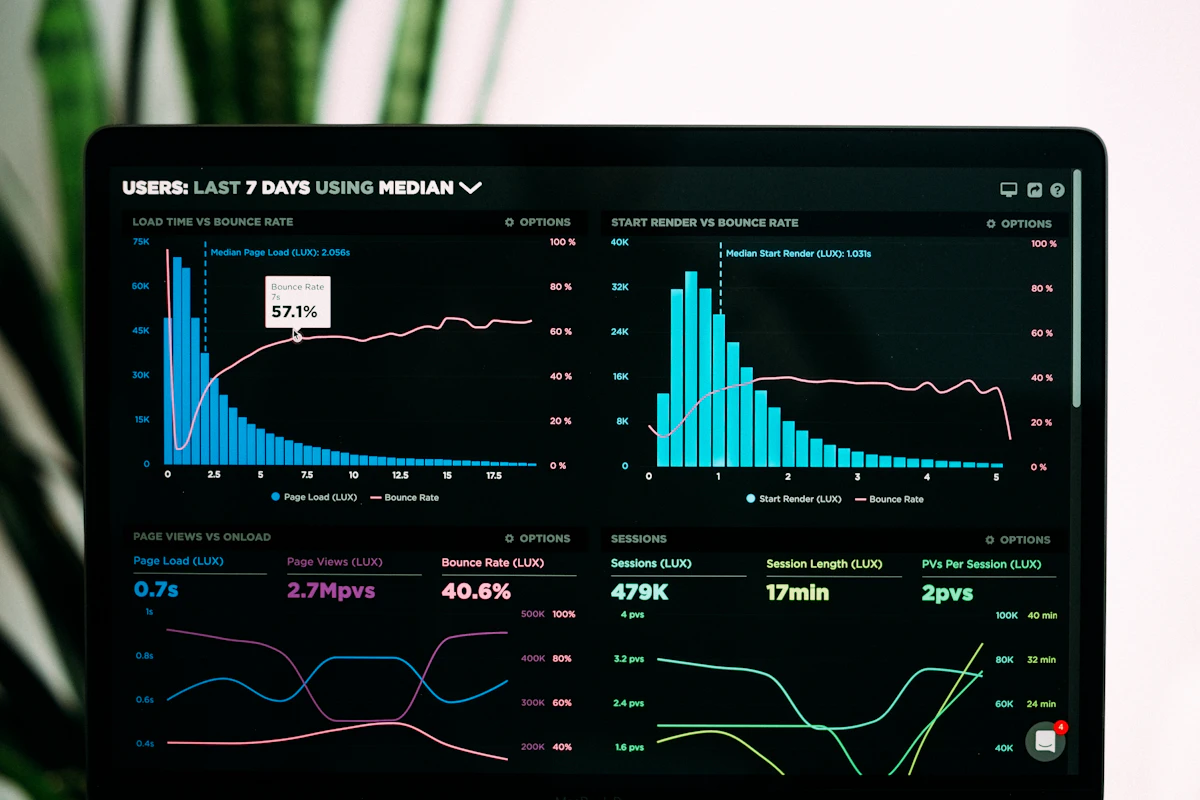
Analytics dashboard with performance charts
📈

11 Built-in Reports

Stayntra ships with eleven carefully designed reports that cover every aspect of daily hotel operations and monthly management review. Each report can be filtered by date range, room type, market segment, and source of business. Reports load in real time from your live data — no overnight batch processing or stale numbers.

Manager's Flash Report — today's occupancy, ADR, RevPAR, arrivals, departures, revenue, and key alerts on one page
Daily Revenue Report — department-wise revenue breakup (rooms, F&B, banquets, other) with tax and net calculations
Occupancy Report — date-wise room nights sold, available, OOO, and percentage occupancy with MTD and YTD summaries
Guest In-House List — current in-house guests with room number, arrival/departure dates, rate, and balance
Arrivals & Departures Report — expected arrivals and departures for any date with reservation and guest details
Night Audit Report — complete end-of-day summary including room charges posted, payments collected, and GL postings
City Ledger Outstanding Report — aged receivables by account with 30/60/90/120+ day buckets
Source-of-Business Report — bookings and revenue segmented by OTA, direct, walk-in, corporate, and travel agent
📈

PDF Export

Every report in Stayntra can be exported as a professionally formatted PDF with your property logo, address, GSTIN, and CIN number in the header. PDFs are generated server-side for consistent formatting across devices and are optimised for both screen viewing and A4 printing. Scheduled email delivery means your GM can wake up to the flash report in their inbox.

One-click PDF generation from any report screen with property branding and letterhead
Batch export — generate multiple reports as a combined PDF or as individual files in a ZIP archive
Scheduled email delivery — configure daily, weekly, or monthly report emails to GM, owners, and department heads
Excel (XLSX) export alongside PDF for reports that need further analysis or pivot table manipulation
Print-optimised layout with page breaks, headers, footers, and page numbers for multi-page reports
Secure report sharing via time-limited, password-protected download links for auditors and stakeholders
📈

Revenue Analytics

Interactive revenue dashboards that go beyond static reports to help you understand trends, identify opportunities, and benchmark performance. Visualise ADR, RevPAR, and total revenue across time periods, room types, and market segments. Compare month-over-month and year-over-year performance to track growth and spot seasonal patterns.

ADR (Average Daily Rate) trend chart with daily, weekly, and monthly granularity across configurable date ranges
RevPAR tracking with comparison against budget targets and previous year performance
Revenue segmentation — breakdown by rooms, F&B, banquets, and other income with pie and bar chart visualisations
Source-of-business analysis — compare OTA vs. direct vs. corporate vs. walk-in revenue contribution and cost of acquisition
Room type performance matrix — occupancy, ADR, and RevPAR per room category to identify your best-performing inventory
Rate plan effectiveness — which rate plans generate the most bookings and highest revenue per available room
Month-over-month and year-over-year comparison toggles on every chart for trend spotting
Dashboard widgets configurable per user role — GM sees the big picture, revenue manager sees rate analytics
📈

Occupancy Analytics

Dedicated occupancy analytics that help you understand demand patterns, optimise pricing, and plan staffing. Heat maps reveal your busiest days of the week, highest-occupancy months, and underperforming periods. Forecasting tools use historical data to predict future occupancy and help you make proactive rate and distribution decisions.

Occupancy heat map — colour-coded calendar view showing daily occupancy percentages across the year
Day-of-week analysis — identify which days consistently underperform for targeted promotional pricing
Room type utilisation — see which categories sell out first and which have chronic excess inventory
Lead time analysis — how far in advance guests book, segmented by source, to optimise your pricing window
Forecasting engine — projects next 30/60/90 day occupancy based on on-the-books reservations and historical patterns
Competitive set benchmarking data import — manually enter comp set data to compare your occupancy and ADR positioning
Cancellation and no-show rate tracking with trend analysis to fine-tune your overbooking strategy
Group vs. transient mix analysis to balance base business with higher-rated transient demand
📈

Custom Reports

For properties that need reporting beyond the eleven built-in options, the Custom Report builder lets you construct ad-hoc queries using a drag-and-drop interface. Select data fields from reservations, folios, guests, rooms, and finance; apply filters and groupings; and save the report for repeated use. Enterprise-tier feature designed for hotel chains and management companies.

Drag-and-drop report builder with field selection from reservations, folios, guests, finance, and housekeeping data
Filter conditions with AND/OR logic — e.g., show all corporate guests who stayed more than 3 nights with ADR above ₹5,000
Grouping and sub-totalling by any dimension — room type, market segment, nationality, booking source, etc.
Calculated fields — create custom metrics like "revenue per guest night" or "F&B spend as % of room revenue"
Save and share custom reports with other users or schedule them for automated delivery
Cross-property reporting for chains — aggregate data from multiple properties into a single consolidated report

See Stayntra in Action

Book a personalized demo and see how the Reports & Analytics modules work together for your property.

Schedule a DemoStart Free